How to fix common catalog feed disapprovals
A disapproved product is worse than a poorly performing one, because it does not perform at all. It sits in your catalog looking fine and quietly fails to serve, and at catalog scale a batch of disapprovals can hollow out reach without any single alarm going off. The good news is that most disapprovals fall into a handful of named categories, each with a clear fix.
This guide walks through the common ones and how to resolve each. It pairs with the product feed optimization checklist, which is how you prevent them in the first place.
Find the disapprovals first
Before fixing anything, read the diagnostics. Both Google Merchant Center and Meta's catalog view list rejected items with a named reason per product. That name is the key: it tells you exactly which of the categories below you are dealing with, instead of guessing. Start there, group the disapprovals by reason, and work the largest group first.
Mismatched product price
The most common and most damaging. Google compares your feed price against your landing page, and when they disagree, applies a preemptive item disapproval under the issue "mismatched product price." The product stops serving entirely.
The cause is almost always timing, not a wrong value: the feed was accurate when generated and stale by the time it was fetched. The fix is faster, more reliable syncing, and for fast-moving prices, a batch update instead of a scheduled fetch. We cover this failure mode in depth in why your catalog ads show the wrong price.
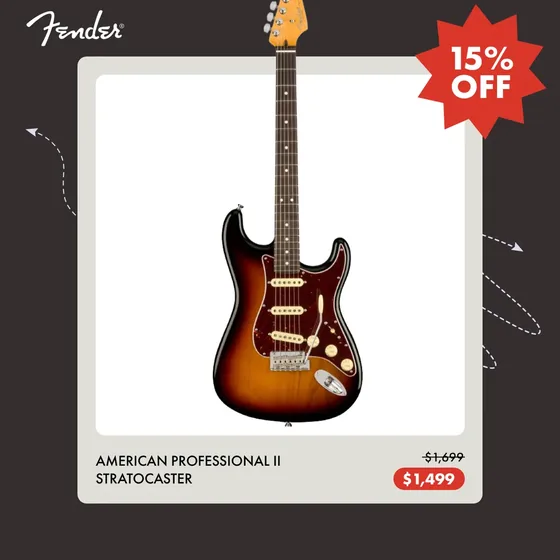
Promotional overlay on image
Google requires an unobstructed view of the product and disapproves feed images carrying promotional elements: logos, calls to action, price text, watermarks or borders. The named issue is "promotional overlay on image."
The fix is to use a clean product photo in the feed and move all branding to the ad creative. This is not a workaround; it is the correct architecture, and we explain the feed-image versus ad-creative split in from plain feed to branded ads.
Image too small or low quality
Google enforces minimum image sizes (currently 100x100 for non-apparel, 250x250 for apparel) and flags low-quality or generic images. Small or blurry images either get disapproved or serve poorly.
The fix is to supply high-resolution source images, well above the minimums, so the same source works across every placement. Prefer clean, sharp photos with the product filling most of the frame.
Missing required field
A feed valid for one platform can be rejected by another. The classic case is condition, which Meta requires on every item but Google requires only for used or refurbished products. Missing brand on new products triggers a Google disapproval too.
The fix is to confirm the full required set is present for the platform you are serving. The complete list is in the product feed guide.
Missing or invalid GTIN
Identifier issues come in two flavors. A missing GTIN usually is not a hard disapproval but shows up as "limited performance due to missing value," meaning fewer matched queries. An invalid or conflicting GTIN, though, can get the item disapproved outright.
The fix: supply correct GTINs where they exist, provide brand and MPN where they do not, and never guess or reuse an identifier. A wrong GTIN is worse than none.
Invalid feed format
Sometimes the whole feed fails to process. "Invalid RSS/Atom document format" means the XML is malformed, usually an unescaped ampersand or a broken tag. Nothing serves until it parses.
The fix is to validate the feed structure, escape special characters, and confirm the file matches the expected format. We compare the formats and their quirks in feed formats explained.
Prevention beats fixing
Fixing disapprovals one batch at a time is reactive. The durable answer is a feed that stays clean and current by construction: complete fields, correct identifiers, clean images, and prices that sync fast enough to never drift from the landing page.
That reliability is part of what FeedForce maintains for Meta catalog ads. The feed stays your clean source of truth, creatives refresh automatically as price and stock change, and the branding that would get a feed image disapproved lives safely on the ad creative instead. Fewer disapprovals, and a catalog that keeps itself serving.
Frequently asked questions
Why do products get disapproved in a catalog feed?
Most disapprovals come from four causes: a price or availability mismatch between the feed and the landing page, images that carry promotional overlays or are too small, missing required fields like condition or brand, and invalid or missing identifiers such as GTIN. Each has a named issue and a specific fix.
What is a mismatched product price disapproval?
It means the price in your feed does not match the price on your product page. Google compares the two and applies a preemptive item disapproval when they disagree. The product stops serving until the values match, and the cause is usually sync timing rather than a wrong value.
How do I fix a promotional overlay image disapproval?
Replace the feed image with a clean, unobstructed product photo with no logos, price text, calls to action, watermarks or borders. Google disapproves feed images that carry promotional elements. Move any branding to the ad creative layer, where it belongs.
How long does it take for a product to be approved again?
After you fix the underlying issue and the feed re-syncs, the platform re-reviews the item on its next fetch. Timing depends on the platform and catalog size, so fixing the root cause and confirming the feed updated is the fastest path back to serving.
Turn your feed into on-brand catalog ads.
Get Started