From plain feed to branded ads: a before / after guide
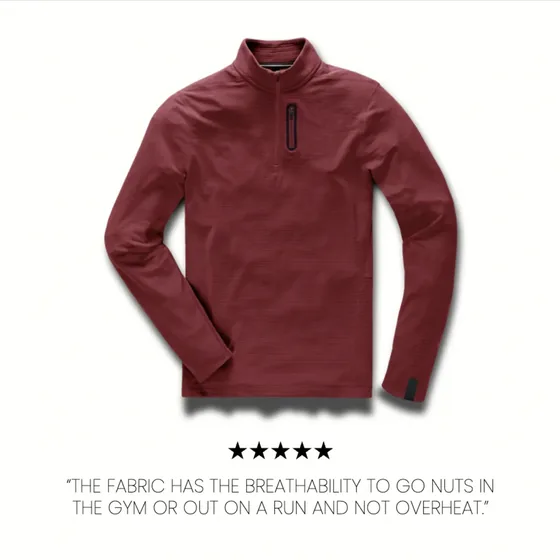
A before and after tells the story faster than any spec sheet. On the left, a raw feed image: a product on a plain background, exactly as the platform received it. On the right, the same product after a brand layer is applied, and the difference between blending into the feed and stopping the scroll.
This is a walk through of what actually changes in that transformation, why each change earns its place, and where in the pipeline it happens. If you want the why behind it first, what catalog ads are explains why the raw version underperforms in the first place.
Start with the constraint: the feed image stays clean
Before changing anything, one rule sets the boundaries. The feed image, the one in your image_link field, must stay a clean, unobstructed product photo. Google requires this and disapproves feed images carrying logos, promotional text, price overlays or borders. The feed image is the source of truth, and it needs to stay bare.
So the transformation does not happen in the feed. It happens one layer up, at the ad creative, where the clean product image is composited with everything that makes it an ad. Meta supports this at the creative level. Keeping the two layers separate is not a limitation to work around; it is the correct architecture. We cover the feed side of this in the product feed guide.
With that settled, here is what gets added on top.
What changes, and why
Brand framing
The first thing the eye should register is who the ad is from. Logo, color system and typography pulled from your brand identity turn an anonymous product photo into a recognizable one. Recognition compounds: a viewer who has seen your frame three times processes the fourth ad differently from a cold one. A plain feed image builds none of that equity.
Commercial signals
Next, the reason to act. Price, a discount badge where there is an offer, and a clear call to action. The feed already knows the numbers, price and sale_price are right there, but in a raw ad they are invisible. Bringing the strikethrough and sale price onto the creative turns a product display into an offer, which is the difference between interest and a click.
Social proof
Then, trust. A star rating and review count answer the question the viewer is already asking. "4.8 stars, 2,400 reviews" is a stronger nudge than any adjective you could add to the title, and if you have the data, it belongs on the creative.
Format fit
Finally, fit. From a single source image, you generate the ratios each placement wants: 1:1 for feed, 4:5 for a taller feed footprint, 9:16 full-bleed for Stories and Reels. The same product, framed correctly for where it will actually appear, instead of one square letterboxed everywhere.
The payoff is consistency at scale
None of these four changes is hard for a single product. A designer could do one in ten minutes. The problem is that you do not have one product; you have thousands, and the prices and stock underneath them change constantly.
That is the real shift the before and after represents. It is not one beautiful ad. It is thousands of products that all look on-brand, all carry the right offer, all fit their placement, and all stay current, without thousands of manual exports. The rules are defined once and applied across the whole catalog, then refreshed whenever price or stock moves. We break down the levers behind the "after" in five ways to lift your catalog ad performance.
FeedForce is built to run this transformation on Meta catalog ads automatically. You define the brand layer once; every SKU inherits it, and the catalog keeps itself consistent as it changes. The feed stays clean. The ads stop looking like everyone else's.
Frequently asked questions
What is the difference between a feed image and a catalog ad creative?
The feed image is the clean product photo stored in your feed, which platforms like Google require to be unobstructed. The ad creative is what the viewer sees: the same product image plus brand framing, price, badges and per-placement formatting layered on top at the ad level, not in the feed.
Can I add my logo and prices directly to the feed image?
Not on Google. Google disapproves feed images that carry logos, promotional text or price overlays. The correct place for branding is the ad creative layer, where Meta supports composited elements over the catalog product image. Keep the feed image clean and brand at the creative level.
What actually changes between a plain and a branded catalog ad?
Four things: brand framing (logo, colors, type), commercial signals (price, discount badge, call to action), social proof (ratings and reviews), and format fit (1:1, 4:5 and 9:16 from one source image). The product photo stays the same; everything around it changes.
Do I need a designer to brand every product?
No. The rules are defined once, then applied across the whole catalog automatically and refreshed when price or stock changes. That is what makes on-brand catalog ads possible at thousands of SKUs without a designer touching each one.
Turn your feed into on-brand catalog ads.
Get Started